
Terraria Modding Guide: Best Mods, Install & Safety (1.4.5)
How to mod Terraria the right way — tModLoader install, the Mod Browser, essential QoL and content mods, save-file separation, multiplayer rules, and mod safety.
FAQ
What are the best Terraria mods?
Do mods work on multiplayer Terraria?
Can I use my vanilla world with mods?
Are Terraria mods safe?
What do I do when a mod breaks after an update?
The modded Terraria stack
Modding Terraria is a one-tool world: everything runs through tModLoader, the free officially-endorsed mod platform. Vanilla saves stay untouched in their own folder; your modded playthrough lives in tModLoader’s parallel save tree. If you’ve read the TML overview, this guide is the working companion — what to install, how to stack it, and how not to break it.
Installing your first mod
- Install tModLoader — free on Steam (Terraria DLC, app 1281930) or GitHub.
- Launch it once so it sets up folders.
- Open Workshop → Mod Browser, search a mod name, hit Download.
- Open Mods and enable it — the game reloads with mod content active.
- Create a new modded character and world; mixing vanilla saves into a modded run risks item errors when mods change or update.
What to actually install
Quality of life first — these fix friction without changing balance:
| Mod | What it does |
|---|---|
| Recipe Browser | Searchable recipe lookup in-game — the answer to “how do I craft X” |
| Boss Checklist | Ordered boss/event tracker — the vanilla sequence lives in our boss order guide |
| Magic Storage | Centralized item storage network — fixes the chest sprawl |
| Ore Excavator / Vein Miner | Vein-mining — mines whole ore veins in one swing |
| Wing Slot / AutoReforge / Loot Beams | Small QoL staples that every veteran stack runs |
Content overhauls — pick one per playthrough, don’t stack megamods:
| Mod | Flavor |
|---|---|
| Calamity | The giant — new bosses, biomes, classes, a full post-Moon Lord endgame |
| Thorium | Vanilla-plus: three new classes, content slotted into normal progression |
| Fargo’s Mutant & Souls | Boss-summon QoL plus an endgame enchantment system |
| Stars Above | Story-driven campaign content, unique mechanics |
| Infernum / other mode mods | Difficulty overhauls bolted onto Calamity-scale fights |
Mod availability tracks the TML variant — check each mod’s page for which Terraria version it supports before building a stack.
The rules that keep it stable
- Small stacks: the failure mode is mod count, not mod size. Ten well-known mods beat fifty random ones.
- Variant matching: mods are pinned to a TML version. After a vanilla update, if your stack breaks, sit on legacy until it updates — that’s what the variants are for.
- Multiplayer = identical lists: every client needs the same mods and versions. Hosts distribute a Mod Pack; don’t join with a mismatched stack.
- Never migrate modded saves to vanilla — items from uninstalled mods corrupt; back up
Documents\My Games\Terrariabefore any experiment. - Trust the browser: stick to the in-game Mod Browser and Workshop. Individual mods are third-party code — a
.tmodfrom a Discord link is a .exe-level risk.
When mods aren’t the answer
If what you actually want is items, invincibility, or rule-bending, vanilla already has it: Journey Mode (research, duplication, godmode, time control) covers the solo side, and server commands/TShock plugins cover admin control — both in our cheats section. Mods are for new content and QoL; cheating is its own track.
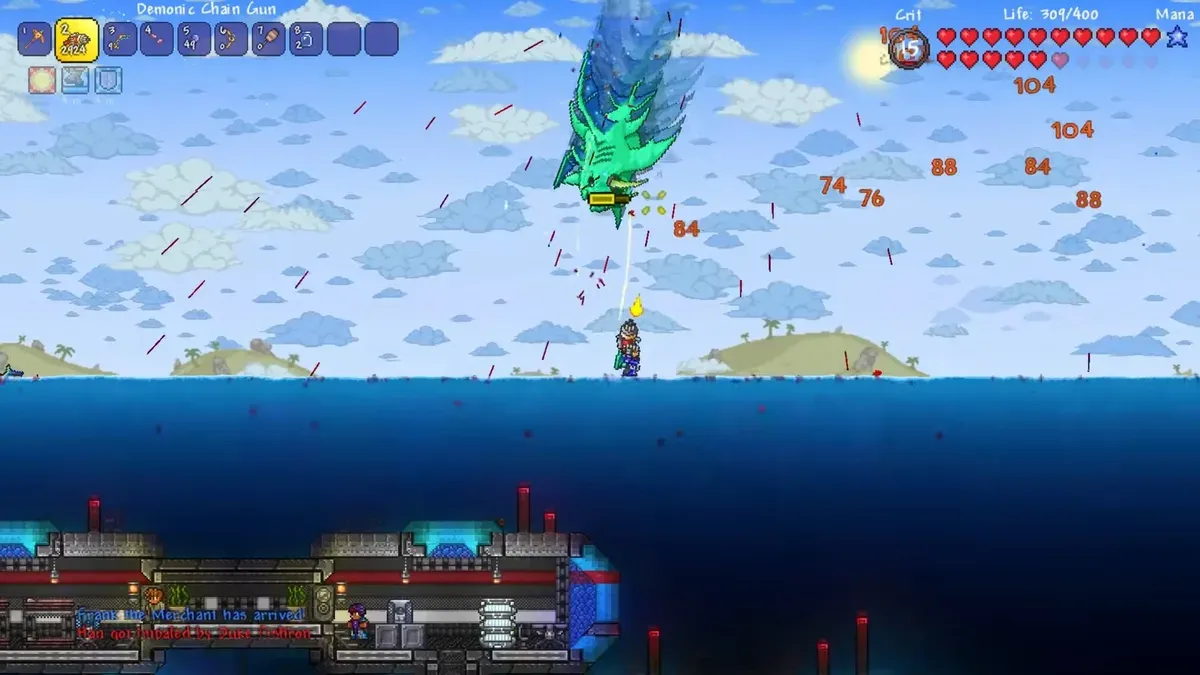
Screenshot sources: cover and gallery — official tModLoader Steam page screenshots (TML Team / Re-Logic).
Gallery
Related Articles
Terraria Item IDs: What They Are & How to Use Them (1.4.5)
Terraria has no redeem codes — but every item has a numeric ID. What IDs are for and the three real uses: save editors, TShock servers, and tModLoader mods.
Last updated Sep 27

Terraria Beginner Guide: First Night to First Boss (2026)
Survive day one and night one in Terraria 1.4.5 — shelter, crafting stations, mining progression, your first NPCs, and the path to the Eye of Cthulhu.
Last updated Sep 27
Terraspark Boots Crafting Tree: Every Component & Source (1.4.5)
Terraspark Boots recipe — Frostspark Boots plus Lava Waders at a Tinkerer's Workshop, with every ingredient drop source, and why they're the best pre-Hardmode boots.
Last updated Oct 5
Was this helpful?
Thanks for the feedback!